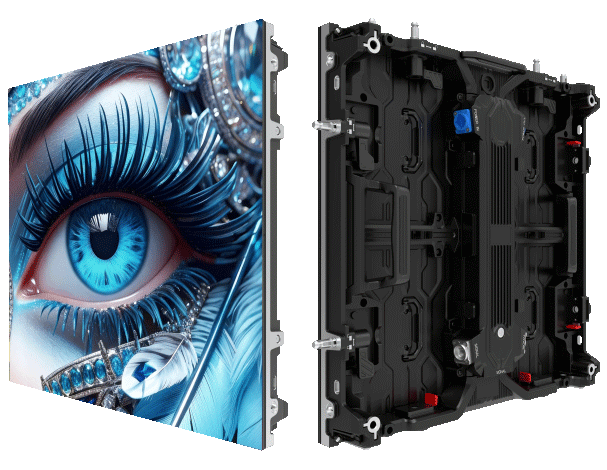
User-first snapshot
You’re building an XR stage with a big outdoor LED backdrop. You need clean motion, no tearing, and reliable color across cameras and the display. Start by matching your camera frame rate and shutter angle to the display’s refresh behavior — that’s where genlock and shutter-angle tuning pay off. For fixed sites, consider a fixed outdoor display as your baseline; it cuts variability and makes synchronization simpler. 🙂
Why sync matters — plain and fast
When genlock isn’t locked, frames slip. That causes micro-tearing, judder, and mismatched motion blur between camera and screen. For XR work you want the camera shutter angle and the LED refresh cycle to play the same rhythm. Industry terms to keep handy: genlock, frame rate, and refresh rate. They control perceived smoothness and latency.
Quick setup checklist
Do these steps before you roll cameras. 1) Set a single master clock for all cameras and the LED processor (genlock source). 2) Pick a unified frame rate — 24/30/60 fps depending on look. 3) Match shutter angle to the display’s refresh cycle to align motion blur. 4) Confirm LED driver settings and pixel pitch are stable for expected viewing distance. Run a sync test at 100% brightness — it reveals phase shifts fast.
Common mistakes and fixes
People often mix frame rates across devices or assume display latency is negligible. That’s a trap. Mismatched shutter angle makes moving props look smeared against crisp screen content — fix by adjusting the shutter to sit within the same exposure window as the LED’s refresh. Another frequent slip is ignoring LED driver firmware quirks — update firmware and log changes during tests. Test incremental changes — you’ll catch phase shift early. —
Comparing approaches: genlock vs. software sync
Hardware genlock gives deterministic sync and lower latency. Software frame-mapping can work but adds jitter and complexity, especially outdoors where sunlight forces higher brightness and faster refresh. For long-term installations like an LED billboard or a led advertising board, hardware sync is the safer route. Keep the pixel pitch, refresh rate, and LED controller specs in the commissioning folder for reference.
Real-world anchor: Lessons from Times Square
Large public displays in Times Square run tight sync and redundancy because they reach hundreds of thousands of viewers daily. Those deployments highlight two things: redundancy matters, and latency budgets must be strict. Use those same standards for XR stages — treat your setup like a high-visibility public installation and document every parameter.
Performance checks to run daily
Make a short checklist for crew: confirm genlock lock status, run a moving-edge test clip to spot tearing, measure input-to-display latency, and scan for color drift at different brightness levels. Record results. Small deviations often predict bigger sync failures on show day.
Tools and alternatives
Use an oscilloscope or a dedicated sync analyzer to verify genlock pulses. For smaller budgets, visual phase tests with a high-speed camera can reveal sync errors quickly. If you must use software-only sync, add frame buffers and adaptive shutter control — this reduces visible artifacts but increases complexity and latency.
Advisory — three golden metrics for choosing the right setup
1) Lock reliability: target a genlock lock rate above 99.9% during operation windows. 2) Latency budget: keep input-to-photons latency under 20 ms for live XR camera work where camera motion is common. 3) Phase tolerance: ensure shutter angle and display refresh stay within a single exposure window — otherwise motion blur mismatches will be visible. These metrics keep the visuals tight and the shoot predictable.
MR LED is built for repeatable, fixed-site performance and helps turn sync complexity into a predictable outcome. Final note: start tests early, log everything, and choose gear that reports clean genlock status.