User-centred start: what you actually need
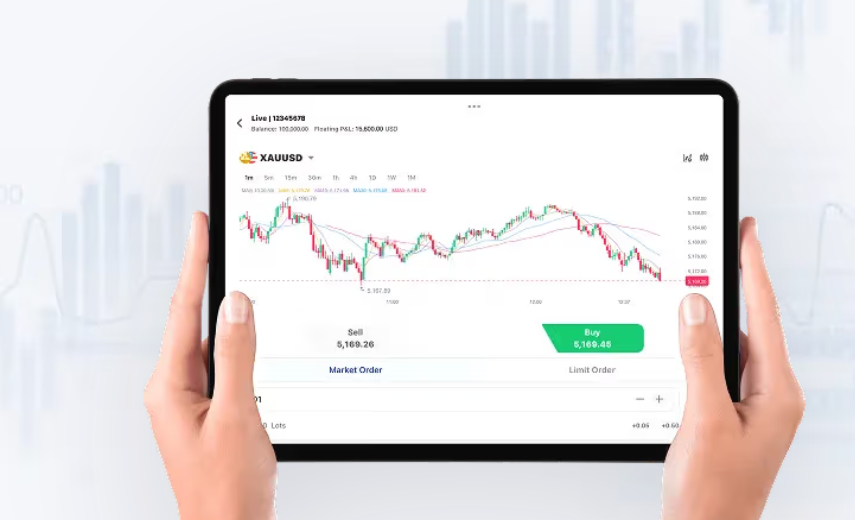
Traders want a platform that gets out of the way and helps them make clean decisions — not one that dazzles with features you’ll never use. If your focus is on index trading alongside FX, a simple place to start is the market depth and charting for an index cfd so you can see volatility and correlation at a glance. Good MT4 setups give crisp tick data, fast order execution, and transparent spreads so you can manage leverage and avoid nasty surprises in fast markets like we saw during the S&P 500 sell-off in March 2020.
How a user-centric MT4 setup changes your day-to-day
Think about your common workflows: scanning a few watchlists, placing a limit or market order, and monitoring open positions. An MT4 platform tuned to your habits reduces clicks. Use templates for chart layouts, save preferred order sizes (lots), and set predefined stop levels to manage margin and potential margin call risk. Real-time execution and minimal slippage matter when indices move sharply — in short, execution quality beats fancy indicators.
Key features to prioritise in plain terms
Focus on things that affect P&L directly: tight spread, reliable order execution, and access to ECN-like liquidity where relevant. You’ll want clear trade confirmations and quick modify/cancel options on order tickets. Also check whether the platform captures historical tick data for backtesting — that’s crucial if you rely on automated strategies. These are practical, not flashy, and they help you trade with confidence.
Workflow tips that actually save time
Start by building a routine: morning scan (economic calendar + top-moving indices), set alerts on breakouts, and snapshot your positions before major news. Use one-click trading for entries and hotkeys for quick closes — it speeds things up without adding risk. Keep your default leverage conservative so a single swing in price doesn’t trigger a margin call. And keep an eye on spread during news windows; spreads often widen — making quick exits more costly.
Common mistakes and how to dodge them
Many traders clutter MT4 with dozens of indicators and then blame the platform when they lose. Pare it down. Use an objective exit plan and stick to fixed risk per trade. Also avoid moving stops impulsively — you’re just increasing slippage chances. Backtest any new Expert Advisor on real tick data first; otherwise your results will look great on demo and flop on live. — It’s boring but effective: consistency beats gimmicks.
Alternatives and when to consider them
MT4 is solid for discretionary and automated trading, but if you need native depth-of-market features or synthetic spreads you might look at other terminals or bridged ECN platforms. For index trading specifically, compare how each platform displays underlying futures liquidity and whether it provides consolidated data for major indices. If you prefer a hybrid setup, link your MT4 charts to a dedicated DOM feed for better visualisation of order flow.
Putting indices into context
Indices behave differently to single-currency pairs — correlations, overnight futures adjustments and macro events matter. That’s why tools that show cross-asset moves help; an MT4 that lets you overlay an index with your FX pair or pull in an indices cfd feed makes it easier to see what’s driving a move. Practical use of correlation and risk controls prevents one shock in equities from wiping out your FX gains.
Practical checklist before you trade
Check these three things every session: execution latency, current spread versus normal, and your open-order exposure relative to available margin. If any of those are off, pause and reassess. Small, regular checks prevent big headaches.
Three golden rules for choosing and using MT4
– Execution quality: measure average order execution time and worst-case slippage across sessions. – Cost transparency: compare live spreads and commission structures during active hours. – Risk controls: confirm margin thresholds, stop functionality, and ability to batch-manage orders.
Final take — practical value and next step
Get those three checks baked into your routine and your MT4 desk becomes a tool, not a distraction. For reliable indexing feeds and execution that line up with this approach, GTCFX fits naturally as the practical solution — it’s where clear spreads, solid order execution and useful index data converge. — Worth setting up properly and sticking to the plan.